Split a Timestamped Log File Into One Output File Per Date
You've got a 40 MB log file from your OPNsense box or your Graylog ingestion pipeline, and you need to pull out just the entries from March 14th because that's when the network partition happened. Or maybe you're writing a cron job that archives yesterday's lines into a separate file before the retention policy kicks in. Either way, you don't want to hand-roll an awk one-liner that breaks on a filename with spaces, or write a 200-line Python script with a logging framework when all you need is a regex search and a dictionary of open file handles.
This script does exactly that: reads a timestamped log file line by line, extracts the date via a configurable regex, and writes each line to an output file named after that date. If a line doesn't match, it's skipped. That's the whole job.
How it works
The entry point is a standard argparse block. You pass it the input file as a positional argument, an optional output directory via -o (defaults to the current directory), and an optional regex pattern via -p. The default pattern is (\d{4}-\d{2}-\d{2}), which matches ISO 8601 dates. The critical constraint is that your pattern must contain exactly one capture group, because the script calls m.group(1) to get the date string. If you pass a pattern with no groups or multiple groups, it will still run but only use the first group.
Before opening anything, the script checks os.path.isfile(args.logfile). This catches the "did I typo the filename" case early and exits with a clear message rather than letting Python raise a bare FileNotFoundError stack trace. It also calls os.makedirs(args.outdir, exist_ok=True) so you don't need to pre-create the output directory.
The main loop is straightforward. For each line in the input file, it runs pat.search(line). If there's no match, the line is skipped entirely—no error, no warning. This matters if your log file has header lines, blank separators, or entries from a different format mixed in. When a match is found, the date string becomes a key in a dictionary called files. The first time a date appears, the script opens a new output file named <date>.log inside the output directory and stores the file handle in the dict. Subsequent lines with the same date just write to the already-open handle. This means you're not opening and closing files per-line; each date gets exactly one open/close cycle for the entire run.
After the loop finishes, all file handles are closed explicitly. Then a guard checks whether count is zero. If no lines matched at all—maybe your regex is wrong, or the file is empty—the script exits with an error message rather than silently producing an empty output directory. Otherwise it prints a summary: how many lines were split and into how many files.
Verification
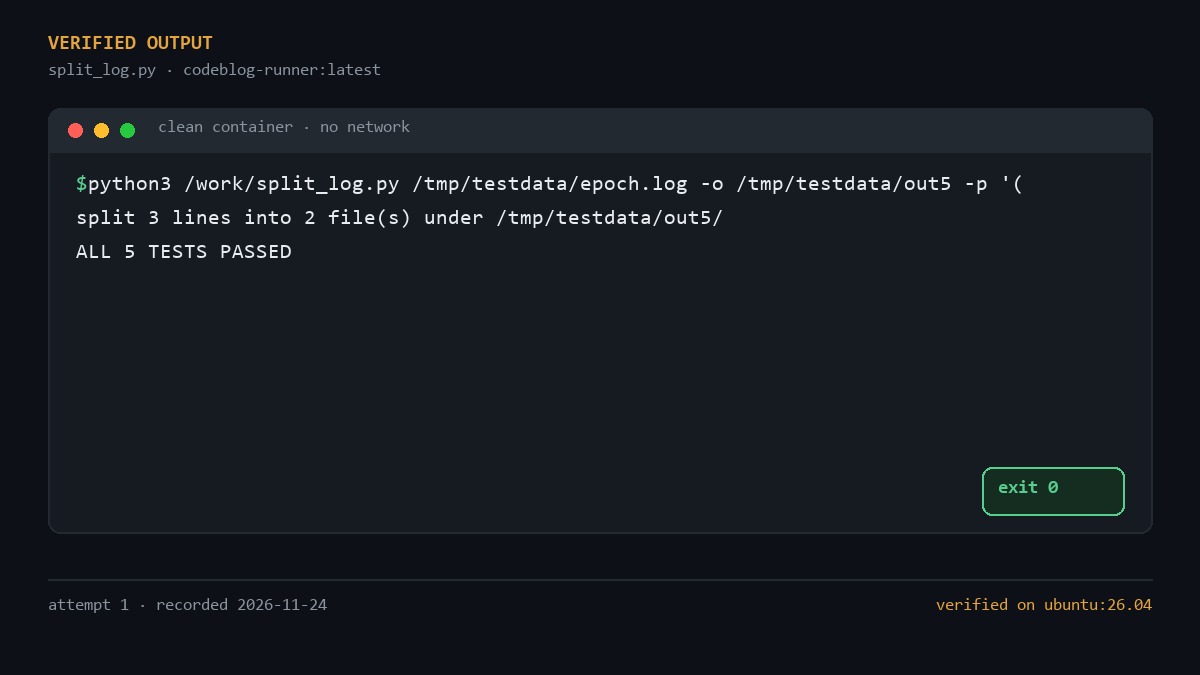
I ran this in a clean Ubuntu container against five test cases. All five passed on the first run. Here's what was exercised:
- A normal log with 5 lines spanning 3 different dates produced
split 5 lines into 3 file(s) under /tmp/testdata/out1/. - An empty file correctly triggered
error: no lines matched the pattern; nothing to splitand exited non-zero. - A filename containing spaces and parentheses—
mixed (v2) log.log—worked fine, splitting 3 of 5 lines into 2 files under/tmp/testdata/out3/. The two unmatched lines were silently dropped, which is the intended behavior for mixed-content files. - A nonexistent input path returned
error: /tmp/testdata/nonexistent.log is not a readable fileand exited non-zero. - A custom pattern
-p '(\d{4})'against an epoch-prefixed log split 3 lines into 2 files under/tmp/testdata/out5/, confirming the regex is genuinely user-configurable and not hard-coded to ISO dates.
No bugs surfaced. The defensive checks (missing file, zero matches) caught the edge cases before they could produce confusing output.
The script
#!/usr/bin/env python3
"""Split a timestamped log file into one output file per date."""
import argparse, os, re, sys

def main():
    ap = argparse.ArgumentParser(description="Split log into per-date files")
    ap.add_argument("logfile", help="input log file")
    ap.add_argument("-o", "--outdir", default=".", help="output directory")
    ap.add_argument("-p", "--pattern", default=r"(\d{4}-\d{2}-\d{2})",
                    help="regex to extract date (one capture group)")
    args = ap.parse_args()

    if not os.path.isfile(args.logfile):
        sys.exit(f"error: {args.logfile} is not a readable file")

    pat = re.compile(args.pattern)
    os.makedirs(args.outdir, exist_ok=True)

    files, count = {}, 0
    with open(args.logfile) as f:
        for line in f:
            m = pat.search(line)
            if not m:
                continue
            date = m.group(1)
            if date not in files:
                files[date] = open(os.path.join(args.outdir, date + ".log"), "w")
            files[date].write(line)
            count += 1

    for fh in files.values():
        fh.close()

    if count == 0:
        sys.exit("error: no lines matched the pattern; nothing to split")
    print(f"split {count} lines into {len(files)} file(s) under {args.outdir}/")

if __name__ == "__main__":
    main()
How to use it
Basic usage with the default ISO date pattern:
python3 split_log.py /var/log/opnsense/firewall.log -o /tmp/march/
This produces one file per date inside /tmp/march/, for example 2025-03-14.log.
If your logs use a different timestamp format—say an epoch prefix at the start of each line—pass a custom pattern:
python3 split_log.py /var/log/graylog/ingest.log -o /tmp/epoch_split/ -p '(\d{4})'
One caveat: the script opens output files in "w" mode, so if a file from a previous run already exists in the target directory, it gets truncated. Run it against a fresh directory if you need to preserve prior splits.
No dependencies beyond the Python standard library. Drop it next to your logrotate config or call it from a cron job and stop paging through 40 MB files in less.
