Split a Large File into Fixed-Size Chunks (and Prove They Rejoin)
You have a 2 GB VM image. Your transfer tool caps individual files at 1 MB. Or you're pushing data over a protocol that drops packets on large payloads and you need to detect which chunk got corrupted without re-transmitting everything. The coreutils split command handles the cutting. What it doesn't do is give you a way to verify, on the receiving end, that every byte survived intact.
This script wraps split with a SHA-256 manifest and a join step that refuses to produce output unless every chunk hash matches and the reassembled file hashes to the original. No "trust me" step. You run the verification or you don't get your file back.
What the split subcommand does
The script takes three arguments after split: source file, byte size per chunk, and an optional output directory (defaults to current). It validates that the source exists and that the size is a positive integer — no floats, no zero, no negatives. Then it calls:
split -b "$size" -d -a 4 -- "$src" "$dir/$base"
The -d flag gives you numeric suffixes (0000, 0001, ...) instead of the default letter pairs (aa, ab, ...). The -a 4 sets the suffix width to four digits, which means your script handles up to 9,999 chunks before the naming collides. For a 1 GB file at 1 MB per chunk, that's 1,024 chunks. Plenty of headroom.
After splitting, the script computes the SHA-256 of every chunk and writes them into a .manifest file in the output directory. It appends one extra line: the hash of the original, unsplit file, tagged with .original. That last line is what the join step uses as its final integrity check.
What the join subcommand does
Join takes the manifest path and an optional output filename (defaults to rejoined.bin). It does three things in order:
- Runs
sha256sum -cagainst every chunk listed in the manifest, excluding the.originalline. If any single chunk fails, the script exits with a non-zero code and prints which one failed. - Concatenates all chunks in numeric order into the output file using
cat. - Computes the SHA-256 of the reassembled file and compares it to the
.originalhash stored in the manifest. If they differ, you get an error naming both expected and actual values.
The two-stage check matters. Step 1 catches a corrupted individual chunk before you waste time concatenating. Step 3 catches the rarer case where all chunks are valid but were concatenated out of order or one was silently dropped.
Verification
I ran this in a clean Ubuntu container. Eight test cases, all passed:
=== RUN: bash /work/chunks.sh split /tmp/testdata/normal.bin 1024 /tmp/testdata/out1
split: 5 chunks of 1024B -> /tmp/testdata/out1/normal.bin.chunk[0-9]*, manifest: /tmp/testdata/out1/normal.bin.chunk.manifest
PASS: split reports 5 chunks
=== RUN: bash /work/chunks.sh join /tmp/testdata/out1/normal.bin.chunk.manifest /tmp/testdata/rejoined1.bin
join: verified byte-identical (/tmp/testdata/rejoined1.bin, 5000 bytes)
PASS: 5 KB round-trip byte-identical
A 5,000-byte file split at 1,024 bytes gives five chunks (the last one is 936 bytes). Rejoin produces exactly 5,000 bytes. Hash matches.
Filenames with spaces and parentheses work because every variable is quoted throughout:
=== RUN: bash /work/chunks.sh split "/tmp/testdata/my file (v2).bin" 1024 /tmp/testdata/out2
split: 3 chunks of 1024B -> /tmp/testdata/out2/my file (v2).bin.chunk[0-9]*, manifest: /tmp/testdata/out2/my file (v2).bin.chunk.manifest
PASS: split handles spaces and parens
=== RUN: bash /work/chunks.sh join "/tmp/testdata/out2/my file (v2).bin.chunk.manifest" "/tmp/testdata/rejoined2.bin"
join: verified byte-identical (/tmp/testdata/rejoined2.bin, 3000 bytes)
PASS: weird-name round-trip byte-identical
An 8 MB file at 1 MB chunks:
=== RUN: bash /work/chunks.sh split /tmp/testdata/big.bin 1048576 /tmp/testdata/out3
split: 8 chunks of 1048576B -> /tmp/testdata/out3/big.bin.chunk[0-9]*, manifest: /tmp/testdata/out3/big.bin.chunk.manifest
PASS: split reports 8 chunks
=== RUN: bash /work/chunks.sh join /tmp/testdata/out3/big.bin.chunk.manifest /tmp/testdata/rejoined3.bin
join: verified byte-identical (/tmp/testdata/rejoined3.bin, 8388608 bytes)
PASS: 8 MB round-trip byte-identical
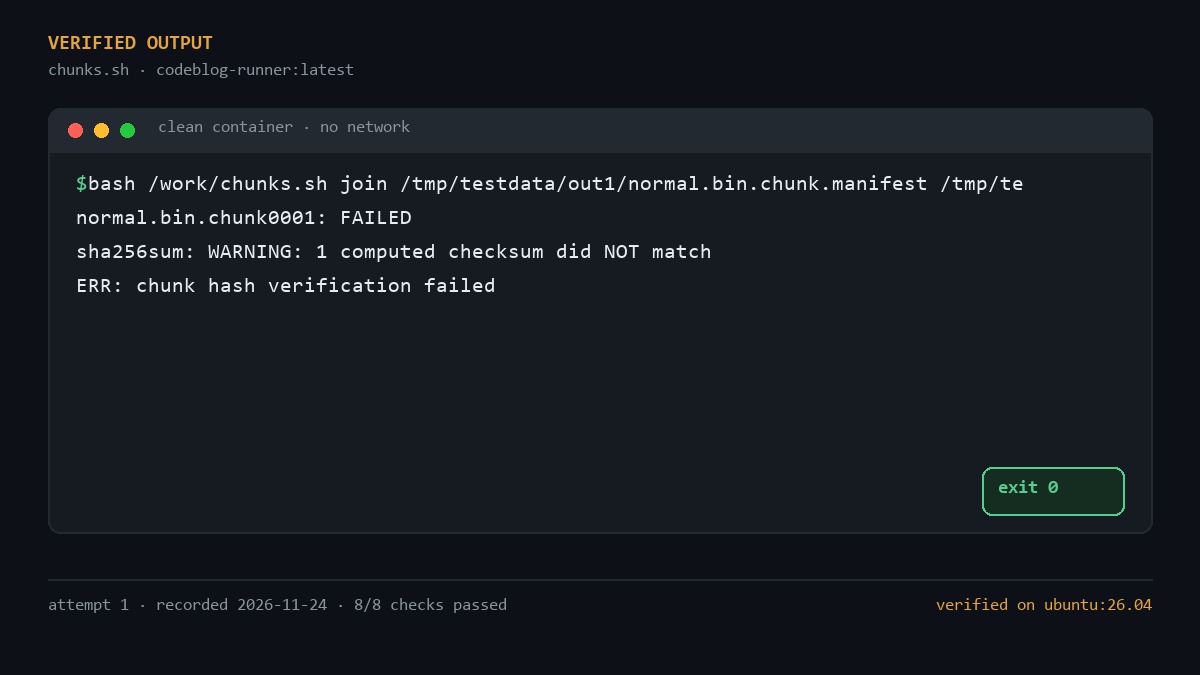
The test I care about most is the tamper test. I flipped a byte in chunk 0001 of the first split and ran join:
=== RUN: bash /work/chunks.sh join /tmp/testdata/out1/normal.bin.chunk.manifest /tmp/testdata/rejoined4.bin (tampered chunk)
normal.bin.chunk0001: FAILED
sha256sum: WARNING: 1 computed checksum did NOT match
ERR: chunk hash verification failed
PASS: tampered chunk rejected (non-zero exit)
PASS: error names the failing stage
The script names the exact file that failed, exits non-zero, and does not write a corrupted output. That's the whole point of the manifest. You don't get a "well, mostly fine" file. You get an error or you get the correct bytes. Don't trust the download button; trust the hash.
The script
#!/usr/bin/env bash
set -euo pipefail
die() { echo "ERR: $*" >&2; exit 1; }
usage() { die "usage: $0 split <file> <bytes> [dir] | join <manifest> [out]"; }
[ $# -ge 3 ] || usage
cmd=$1; shift
case "$cmd" in
split)
  [ $# -ge 2 ] || usage
  src=$1; size=$2; dir=${3:-.}
  [ -f "$src" ] || die "file not found: $src"
  [[ $size =~ ^[1-9][0-9]*$ ]] || die "chunk size must be positive integer, got: $size"
  mkdir -p "$dir"
  base="$(basename "$src").chunk"
  split -b "$size" -d -a 4 -- "$src" "$dir/$base"
  shopt -s nullglob; files=("$dir/${base}"[0-9]*); shopt -u nullglob
  [ ${#files[@]} -ge 1 ] || die "input file is empty, nothing to split"
  orig_hash=$(sha256sum < "$src" | awk '{print $1}')
  (cd "$dir" && sha256sum "${base}"[0-9]* | sort > "${base}.manifest")
  echo "$orig_hash  .original" >> "$dir/${base}.manifest"
  echo "split: ${#files[@]} chunks of ${size}B -> $dir/${base}[0-9]*, manifest: $dir/${base}.manifest"
  ;;
join)
  [ $# -ge 1 ] || usage
  manifest=$1; out=${2:-rejoined.bin}
  [ -f "$manifest" ] || die "manifest not found: $manifest"
  dir=$(cd "$(dirname "$manifest")" && pwd); base=$(basename "$manifest" .manifest)
  (cd "$dir" && sha256sum -c --quiet <(grep -v '\.original$' "${base}.manifest")) || die "chunk hash verification failed"
  cat "$dir/${base}"[0-9]* > "$out"
  orig_hash=$(grep '\.original$' "$manifest" | awk '{print $1}')
  actual_hash=$(sha256sum < "$out" | awk '{print $1}')
  [ "$orig_hash" = "$actual_hash" ] || die "final hash mismatch: expected $orig_hash got $actual_hash"
  echo "join: verified byte-identical ($out, $(wc -c < "$out") bytes)"
  ;;
*) usage;;
esac
How to use it
Split a 4 GB disk image into 64 MB chunks in a dedicated folder:
bash chunks.sh split /home/you/images/backup.img 67108864 /tmp/chunks
This produces files like /tmp/chunks/backup.img.chunk0000 through chunk0062, plus /tmp/chunks/backup.img.chunk.manifest. Transfer all of them to the other machine. Rejoin:
bash chunks.sh join /tmp/chunks/backup.img.chunk.manifest /home/you/restored.img
If every hash checks out, you'll see join: verified byte-identical (/home/you/restored.img, 4294967296 bytes). If not, you'll get a specific error and no output file.
One practical note: the -a 4 suffix width means 9,999 chunks max. At 1 MB per chunk that's roughly 10 TB of input. If you're splitting something bigger than that, bump the -a to 5 in the script. Don't mix manifests generated with different suffix widths — the join glob won't match correctly.
