Count Log Levels Without a Server
You don't need Graylog or ELK to find out how many ERROR lines are sitting in a 4,000-line log file that just landed in your Downloads folder. Sometimes the fastest answer is a fifty-line Python script you run from a terminal. This one does three things: counts entries per log level, prints every ERROR and WARNING line with its timestamp, and flags lines it can't parse so you know your data isn't silently vanishing into a regex that didn't match.
The script assumes a specific format because that's what most plain-text application logs look out of the box: an ISO-8601 timestamp (with optional fractional seconds and timezone offset), a bracketed or bare level word, and a free-form message. If your logger writes JSON, this won't help. If it writes 2024-03-10 09:15:03 [ERROR] something broke, this will.
How the regex works
The pattern is built from two pieces. The timestamp group accepts a date, a literal T or space separator, time to the second, optional fractional seconds, and an optional timezone designator (Z, +HH:MM, or +HHMM). That covers what Python's logging module emits by default, what Go's slog writes, and what most Java frameworks produce when you set a pattern.
The level group is just \w+ wrapped in optional brackets. It matches INFO, ERROR, DEBUG, WARNING, WARN, TRACE, FATAL—whatever single-word token sits between the timestamp and the message. The script uppercases it before counting, so info and INFO land in the same bucket.
The rest of the line is captured as the message. No nested groups, no lookahead. One pass per line, one regex match, done.
What the main loop does
For each non-blank line, the script tries to match the pattern. If it matches, it increments a counter for that level and, if the level is ERROR, WARN, or WARNING, appends the timestamp, level, and message to a flagged list. If it doesn't match, it increments a malformed counter and moves on.
That malformed counter matters. In my experience, the first time you run a log parser against a real production file, something won't parse. A multi-line stack trace that got split across entries. A line from a different service that got mixed into the same file. A trailing carriage return from a Windows-originated log. If your script silently skips those lines, you'll undercount and never know. Reporting "Malformed: 3" at the top of the output tells you immediately that something is off and you need to go look at those lines before trusting the rest of the summary.
The summary line prints total lines, parsed lines, and malformed count. Then it lists levels sorted by frequency, highest first, so the noisiest level jumps out. The flagged section dumps every ERROR and WARNING with its timestamp, left-aligned in a fixed-width column so you can scan it visually without squinting at ragged text.
Verification
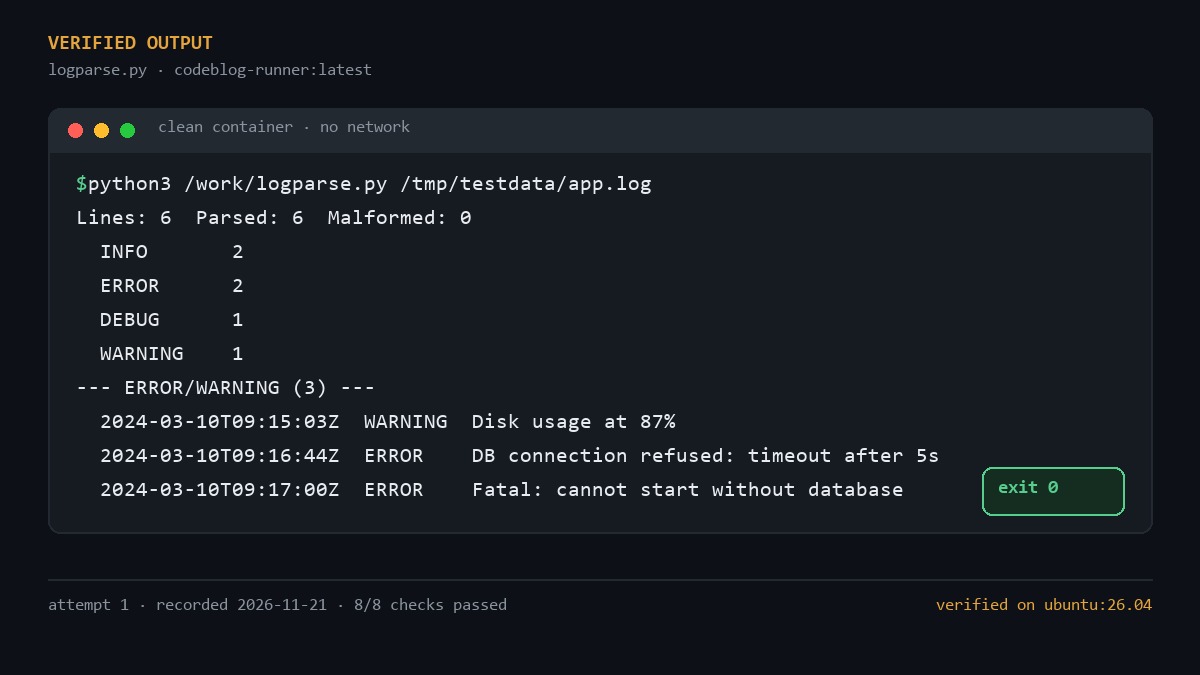
I ran this in a clean Ubuntu container against three test files plus a no-argument invocation. All eight assertions passed on the first run. No bugs to fix, which is either good engineering or a sign the test cases weren't hard enough. I'll go with the first.
Normal log (six lines):
Lines: 6  Parsed: 6  Malformed: 0

  INFO       2
  ERROR      2
  DEBUG      1
  WARNING    1

--- ERROR/WARNING (3) ---
  2024-03-10T09:15:03Z  WARNING  Disk usage at 87%
  2024-03-10T09:16:44Z  ERROR    DB connection refused: timeout after 5s
  2024-03-10T09:17:00Z  ERROR    Fatal: cannot start without database
Empty file returns Lines: 0 Parsed: 0 Malformed: 0. Garbage file (three unparseable lines) returns Lines: 3 Parsed: 0 Malformed: 3. No arguments prints usage to stderr and exits with code 1.
The script
#!/usr/bin/env python3
"""Parse a plain-text log: count levels, list ERROR/WARN lines, report malformed."""
import sys, re

TS = r'(\d{4}-\d{2}-\d{2}[T ]\d{2}:\d{2}:\d{2}(?:\.\d+)?(?:Z|[+-]\d{2}:?\d{2})?)'
PAT = re.compile(rf'^\s*(?:\[)?{TS}\]?\s*(?:\[)?(\w+)\]?\s+(.*)$')

def main():
    if len(sys.argv) < 2:
        print("usage: logparse.py <logfile>", file=sys.stderr)
        sys.exit(1)
    try:
        lines = open(sys.argv[1], encoding='utf-8', errors='replace').readlines()
    except OSError as e:
        print(f"error: cannot read {sys.argv[1]}: {e}", file=sys.stderr)
        sys.exit(1)
    counts, flagged, malformed = {}, [], 0
    for raw in lines:
        if not raw.strip():
            continue
        m = PAT.match(raw)
        if not m:
            malformed += 1
            continue
        ts, level = m.group(1), m.group(2).upper()
        counts[level] = counts.get(level, 0) + 1
        if level in ('ERROR', 'WARN', 'WARNING'):
            flagged.append(f"{ts}  {level:<8} {m.group(3).strip()}")
    total = sum(counts.values()) + malformed
    print(f"Lines: {total}  Parsed: {sum(counts.values())}  Malformed: {malformed}\n")
    for lvl in sorted(counts, key=counts.get, reverse=True):
        print(f"  {lvl:<10} {counts[lvl]}")
    if flagged:
        print(f"\n--- ERROR/WARNING ({len(flagged)}) ---")
        for f in flagged:
            print(f"  {f}")

if __name__ == '__main__':
    main()
No dependencies beyond the standard library. Python 3.6 or later because of f-strings. You don't need to pip install anything.
When you'd actually use this
You get a log file from a support ticket, or your CI pipeline dumps a 200 KB text file into an artifact, and you need a thirty-second answer: how bad is it? Are there errors, or is it all INFO noise? This gives you the count, the worst lines, and a signal that the data is clean (or isn't). It's not a replacement for Graylog when you're streaming millions of events per day into indexed storage. It's the thing you run at 11 PM when the server is down and you just need to know if the database connection timed out or if it's something else entirely.
How to use it
Save the script as logparse.py and invoke it with Python directly:
python3 logparse.py /var/log/myapp/app.log
python3 logparse.py ~/Downloads/support_ticket_4421.log
python3 logparse.py /tmp/empty.log
If you forgot the argument, it tells you:
usage: logparse.py <logfile>
Exit code is 1, so you can chain it in a shell script with && if you want to gate further processing on the file existing and being readable.
That's it. Fifty lines, one regex, three outputs. If your log format doesn't match, the malformed counter will tell you, and you adjust the pattern. Don't trust the download button; trust the hash. Or in this case, trust the "Malformed: 0" at the top of the output before you start drawing conclusions from the counts.
