I Replaced My ISP Router with OPNsense on a $150 Mini PC
The router my ISP gave me does one job: forward packets. That was the problem. I wanted a VPN endpoint at the edge of my network, I wanted my IoT devices off the same broadcast domain as my servers, and I wanted security tooling where traffic enters the house. None of those things are possible on the box the ISP sent, so it went into a drawer and a $150 mini PC took its place.
This is not a story about saving money on the internet bill. It's a list of what I actually run on OPNsense now — WireGuard, VLANs, DHCP, packages and security plugins — and an honest accounting of what giving up the ISP box costs you in return.
The box: a Topton N150 with four 2.5 gigabit ports
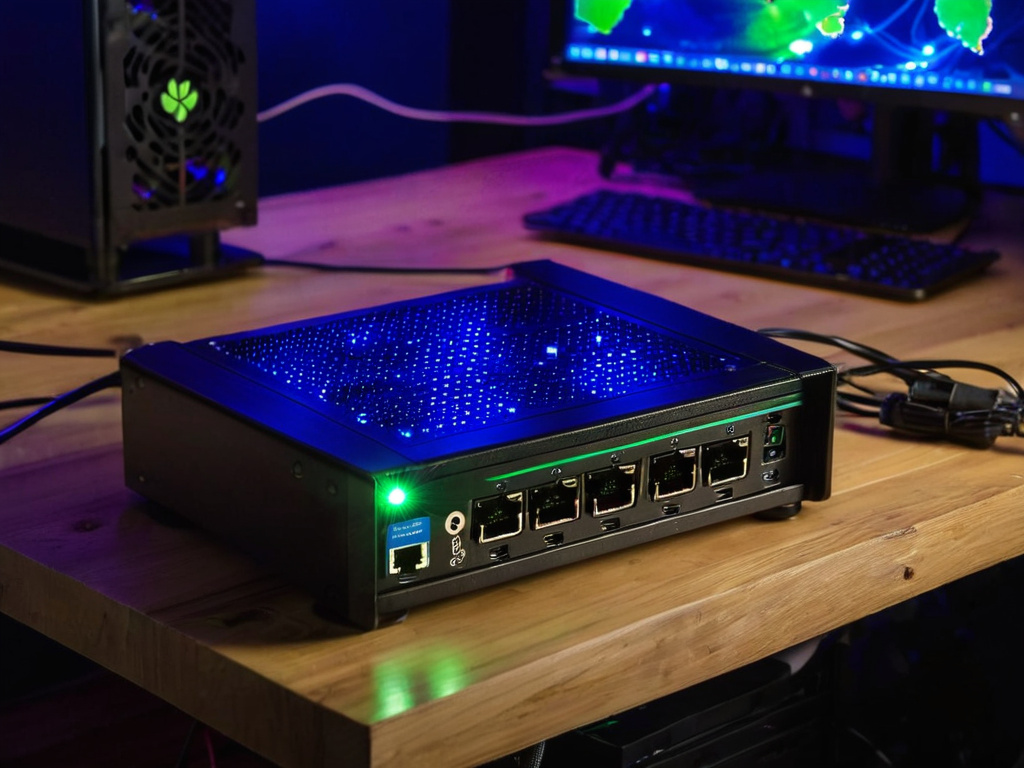
The hardware is a Topton fanless mini-PC around an Intel N150: four Intel i226-V 2.5GbE ports, 16 GB of DDR5, a 256 GB NVMe drive, and AES-NI for hardware crypto. It runs off the same Eaton UPS that keeps the rest of my rack alive, and because it has no fan, it adds nothing audible to the room.
The reason I picked this specific shape is the port count. A dual-Gigabit board gives you WAN and LAN and nothing else; every extra network after that means an external switch and a trunk, which works but adds a hop and a failure point. Four 2.5GbE ports on-board means WAN, the main LAN, and two more interfaces I can dedicate to IoT or the Pi builds without buying anything. The N150 is not a fast chip by datacenter standards, and it does not need to be: a home uplink is a rounding error for it, and AES-NI means WireGuard's cryptography is not the bottleneck either.
WireGuard at the edge: the reason I did this swap
The first thing I stood up was a WireGuard server, because the whole point of owning the edge is being able to reach your own network from anywhere without relying on your ISP's NAT to cooperate. The setup lives under Interfaces → WireGuard: generate a keypair for the tunnel, add a peer for each device that needs in — my laptop, my phone, any machine I want back on the network while away — and give the VPN its own subnet separate from the LAN. A firewall rule then decides what the VPN subnet may touch. I let it reach the Docker host and the management interfaces, nothing else.
WireGuard over the usual site-to-site options is a no-brainer for a single-admin household: the config is a keypair and a peer list, not a certificate authority you have to babysit, and the client side runs on every device I own. The N150's AES-NI does the heavy lifting on the crypto path, so the tunnel stays out of the way even while other traffic moves through the box.
One skeptical note, because I am a skeptic: a VPN at the edge is not a security product by itself. It is an encrypted pipe. What makes it useful is that you can attach policy to it — which subnet it lands in, what it may talk to, and a firewall log of every connection it carries. The ISP box gave me none of those levers.
VLANs and DHCP: the flat network stops being flat
The second change was segmentation. Everything used to share one Layer-2 domain: phones, laptops, the Ubuntu Docker host, the Raspberry Pi builds — including pi-auto, which reads vehicle computer and GPS data — and a pile of smart plugs. A compromised plug on that domain can talk to everything else on it, and no firewall rule inside any single machine changes that, because the traffic never crosses a routed boundary.
OPNsense makes this a config exercise instead of a project. Each VLAN gets a sub-interface, an address range, and its own DHCP scope under Services → DHCP Server. The IoT subnet gets a scope with no inbound rules from anywhere — outbound only, which is all a smart plug actually needs. The Pi builds get static reservations by MAC so pi-auto keeps the same address across reboots instead of chasing a lease. The main LAN keeps its normal scope for everything else.
The DHCP server is where this box quietly earns its keep day to day: per-subnet scopes, reservations, per-interface options — the boring controls that consumer routers either hide or do not have at all.
Packages and security plugins: more than a router
OPNsense has a package manager under System → Firmware → Packages, and it is how the box grew past "router". Anything in the official catalog installs with a checkbox; anything that is not in the catalog can come from a custom package repository, which is how I keep tooling that is not mainstream on the same update path as the base system.
The security side is where I am spending most of my time right now. The catalog carries everything from DNS blocklists to full intrusion prevention, and the plugins install into the same UI you already use. I am currently testing Zenarmor, an intrusion prevention system that sits on the WAN interface and inspects what comes in from the internet before it reaches any of my subnets — the honest status is that it is still in test mode on my end, and I will write up what it actually catches once I have more data. But the shape of the feature is exactly what a home edge wants: a consumer router's "security" is a URL blocklist and a port-knock toggle, while an IPS at the edge sees the packets themselves, which is a different category of protection.
I would not call any of this a silver bullet. An IPS adds rules to maintain and false positives to triage, and it does not replace patching the devices behind it. It is, however, a layer that simply cannot exist on the ISP's hardware, and for a network with a Docker host and smart plugs on it, layers are the point.
What giving up the ISP box actually costs you
The trade is real, and it is not the hardware. The mini PC draws more power than the closet router did — I have not metered the difference and will not invent a number — but it is fanless, so there is no fan noise to live with.
What you actually pay for is maintenance. OPNsense ships updates on its own schedule, and a point release can shift how a feature behaves the day after you configured it. There is no support line to call when a patch changes your VLAN tagging; there is the changelog, the forum, and the previous ISO you are keeping on a stick so you can roll back. If that workflow sounds like a chore rather than a hobby, stop here and buy the $200 consumer router — it will handle Wi-Fi and a flat network fine, and your evenings will be yours.
The same goes for scope: if you run three phones, a laptop, and no servers, a WireGuard endpoint at the edge and an IPS are machinery without a job. The box pays for itself only when you want to see and control your own network — VPN in, segments enforced, DHCP under your hand, and a security layer at the door. That is what I run on it every day, and that is why the ISP router has not left the drawer.
If this was useful, Join the newsletter. No pressure — read it whenever it's useful.
