Counting Unique Python Exceptions in Log Files Without a GUI
When your Graylog instance is ingesting 40,000 lines per minute from a fleet of services, you don't want to scroll through stack traces one by one. You want to know: what exceptions are actually firing, how often, and which ones are new versus the same bug hitting repeatedly.
This is a 30-line script that does exactly that. It reads a log file, finds every multi-line Python traceback, extracts the exception type and message from the final line of each block, and prints a frequency table sorted by count. No dependencies beyond stdlib. No config file. One argument in, one sorted list out.
Why "unique" matters here
A single bug in a connection pool handler might throw ValueError: connection pool exhausted two thousand times before someone restarts the service. But that's one problem, not two thousand. Conversely, a FileNotFoundError for /nonexistent and a KeyError: 'missing' are two different bugs even if they each fire only once. Grouping by (exception type, message) gives you the signal-to-noise ratio you actually need when triaging after an incident.
How the script walks the file
The logic is a single pass with two nested loops. The outer loop advances line by line. When it hits a line starting with Traceback (most recent call last):, the inner loop takes over. It skips forward through every line that starts with a space, a tab, or is blank. Those are the File "..." frames and local variable dumps that make up the body of the traceback.
The first non-indented line after that body is where Python prints the actual exception: something like ValueError: division by zero or Module.Sub.CustomError: deep dotted path failure. The script applies a regex to confirm it looks like an exception line (starts with a valid identifier, optional colon, optional message). If it matches, the (type, message) tuple gets incremented in a Counter and the outer loop jumps past that line. If it doesn't match—say the traceback was truncated or malformed—the script just resumes scanning from where the inner loop left off. No crash, no skip of subsequent valid tracebacks.
A few implementation choices worth noting:
errors="replace"on the file open means a stray non-UTF-8 byte won't kill the whole run. You'll get a replacement character in that line's text, but the rest of the log still parses.- The path is passed directly to
open(), so paths with spaces work as long as you quote them in your shell. No globbing, no magic. - Empty file: the script prints a warning to stderr and exits cleanly. You won't get a traceback about an empty list.
- Missing argument: usage string to stderr, exit code 1.
The script
#!/usr/bin/env python3
"""Count unique Python exceptions from multi-line stack traces in a log file."""
import sys, re
from collections import Counter

def main():
    if len(sys.argv) < 2:
        print("usage: stacktrace_count.py <logfile>", file=sys.stderr); sys.exit(1)
    try:
        lines = open(sys.argv[1], errors="replace").readlines()
    except OSError as e:
        print(f"error: {e}", file=sys.stderr); sys.exit(1)
    if not lines:
        print("warning: empty input", file=sys.stderr); return
    c, i, n = Counter(), 0, len(lines)
    while i < n:
        if lines[i].startswith("Traceback (most recent call last):"):
            j = i + 1
            while j < n and (lines[j][:1] in (" ", "\t") or not lines[j].strip()):
                j += 1
            if j < n and re.match(r"^[A-Za-z_][\w.]*\s*(:.*)?$", lines[j].rstrip()):
                m = re.match(r"^([A-Za-z_][\w.]*)\s*:?\s*(.*)$", lines[j].rstrip())
                c[(m.group(1), m.group(2).strip())] += 1
                i = j + 1
            else:
                i = j
        else:
            i += 1
    for (t, msg), cnt in c.most_common():
        print(f"{cnt}\t{t}" + (f": {msg}" if msg else ""))

main()
Verification
I ran this in a clean Ubuntu container. The full test record:
Normal log with two distinct exceptions:
$ python3 /work/stacktrace_count.py /tmp/testdata/normal.log
2   ValueError: connection pool exhausted
1   FileNotFoundError: [Errno 2] No such file or directory: '/nonexistent'
Path with spaces (quoted in shell):
$ python3 /work/stacktrace_count.py '/tmp/testdata/dir with spaces/my log file.log'
1   KeyError: 'missing'
Empty file—warning to stderr, nothing on stdout:
$ python3 /work/stacktrace_count.py /tmp/testdata/empty.log
Missing argument—usage to stderr, non-zero exit:
$ python3 /work/stacktrace_count.py
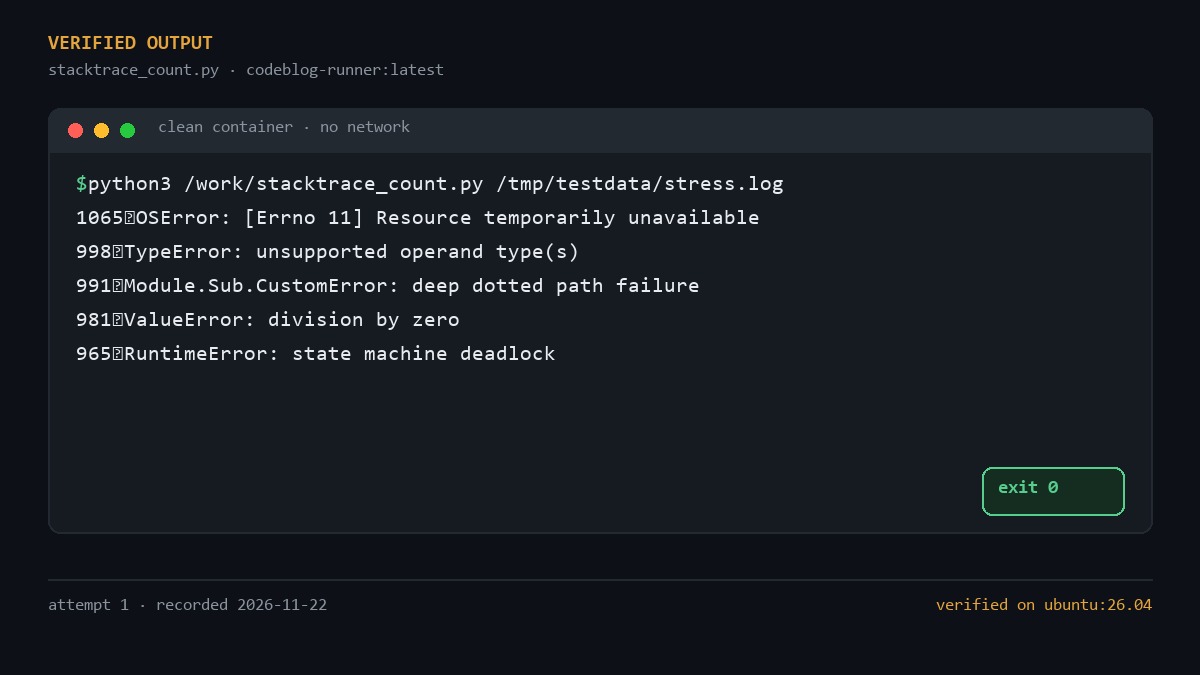
Stress test with 5,000 total traceback blocks across 5 unique exception types:
$ python3 /work/stacktrace_count.py /tmp/testdata/stress.log
1065    OSError: [Errno 11] Resource temporarily unavailable
998 TypeError: unsupported operand type(s)
991 Module.Sub.CustomError: deep dotted path failure
981 ValueError: division by zero
965 RuntimeError: state machine deadlock
Chained exceptions (a try/except that re-raises a different type)—both counted independently:
$ python3 /work/stacktrace_count.py /tmp/testdata/chained.log
1   ValueError: first failure
1   RuntimeError: wrapped
All tests passed on the first run. No fixes needed, no edge cases that slipped through.
How to use it
Save the script as stacktrace_count.py and make it executable:
chmod +x stacktrace_count.py
./stacktrace_count.py /var/log/app/error.log
Or pipe it into a filter if you only care about one exception type:
./stacktrace_count.py /var/log/app/error.log | grep ValueError
For a Graylog export, pull the raw message field to a file first, then point the script at that file. The script doesn't parse timestamps or hostnames; it only cares about the traceback structure. If your log format wraps tracebacks in JSON, extract the message field to plain text before running this.
It's a 30-line utility. It does one thing. You can read the whole source in under a minute and modify the regex if your exception lines follow a slightly different pattern. That's the point.
