Converting a CSV to JSON with Column Selection and Type Inference
I keep a small collection of scripts that I reach for when I'm moving data between tools on my home server. This one converts a CSV file to a JSON array, lets you pick which columns to keep, and infers whether a field is an integer, a float, or a string. It's about forty lines of Python, no dependencies beyond the standard library, and it runs in any environment that has python3.
The reason I wrote it instead of using a web converter: I don't want to upload sensor logs or vehicle telemetry data to some random site. The file stays on my box. You run a command, you get JSON on stdout. That's the whole interaction.
Why type inference matters
CSV is flat text. Every cell is a string. If you pipe that into a tool that expects numbers—say, a charting library or a database import—you have to cast every field by hand. The infer() function in this script tries int first, then float, and falls back to the raw string. That means "30" becomes 30, "95.5" becomes 95.5, and "not_a_number" stays as the string "not_a_number". No crashes, no silent data loss.
You can see this in the verification output. The third test run uses a file called my data (final v2).csv with columns id and reading. Row 2 has the value "not_a_number" in the reading column. The script doesn't choke on it. It outputs:
{
  "id": 2,
  "reading": "not_a_number"
}
Meanwhile, row 3's reading value of 3.14 comes through as a float, not a string. The inference is per-cell, not per-column. That matters when you have a column that's mostly numbers but has one bad entry from a sensor glitch.
Column selection
The second argument to the script is an optional comma-separated list of column names. If you provide it, only those columns appear in the output. If you don't, you get every column in the CSV.
This is useful when your source file has twenty columns and you only need three for a downstream process. You avoid bloating your JSON with fields nobody reads. The script validates the column names against the header row before processing. If you typo a name, it tells you exactly which one was missing:
error: columns not found: nam, age
And exits with code 1. No partial output, no silent omission.
Edge cases I actually hit
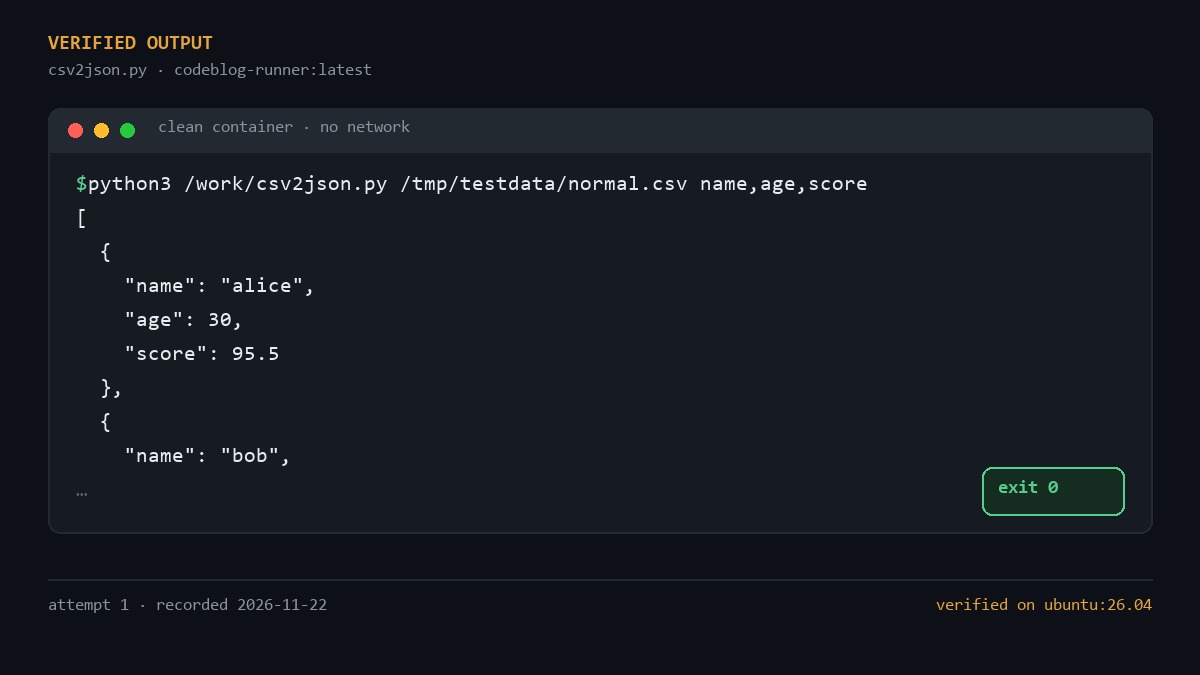
The first test run uses a straightforward file called /tmp/testdata/normal.csv with three rows and three columns. The invocation was:
python3 /work/csv2json.py /tmp/testdata/normal.csv name,age,score
Output:
[
  {
    "name": "alice",
    "age": 30,
    "score": 95.5
  },
  {
    "name": "bob",
    "age": 25,
    "score": 87
  },
  {
    "name": "carol",
    "age": 41,
    "score": 92.1
  }
]
Note that bob's score of 87 is an integer while alice's 95.5 is a float. The inference handled both without me specifying types.
The second test covers the degenerate case: a CSV file that has a header row but zero data rows. The script prints [] and exits cleanly. No traceback, no "index out of range" error. If you're scripting this into a pipeline and the upstream process produces an empty file on a bad day, your downstream job doesn't crash.
The third test covers two things at once: a filename with spaces and parentheses, and a mixed-type column. The file path 'my data (final v2).csv' is quoted in the shell invocation. The script itself doesn't care about the filename—it just opens whatever path you give it. The interesting part is the data. The reading column contains 42 (int), "not_a_number" (string), and 3.14 (float) across three rows. All three types are preserved correctly in the JSON output.
The script
Here's the full thing. Copy it, make it executable, and it's ready to use.
#!/usr/bin/env python3
import csv, json, sys

def infer(v):
    try:
        return int(v)
    except ValueError:
        pass
    try:
        return float(v)
    except ValueError:
        return v

def main():
    if len(sys.argv) < 2:
        print("usage: csv2json.py <file> [col1,col2,...]", file=sys.stderr)
        sys.exit(1)
    path = sys.argv[1]
    cols = sys.argv[2].split(",") if len(sys.argv) > 2 else None
    try:
        with open(path, newline="") as f:
            rows = list(csv.DictReader(f))
    except FileNotFoundError:
        print(f"error: {path} not found", file=sys.stderr)
        sys.exit(1)
    if not rows:
        print("[]")
        return
    if cols:
        missing = [c for c in cols if c not in rows[0]]
        if missing:
            print(f"error: columns not found: {', '.join(missing)}", file=sys.stderr)
            sys.exit(1)
        rows = [{k: v for k, v in r.items() if k in cols} for r in rows]
    out = [{k: infer(v) for k, v in r.items()} for r in rows]
    print(json.dumps(out, indent=2))

main()
A few implementation notes. The csv.DictReader call uses newline="" in the open() call. That's not optional. Without it, the csv module on some platforms will misparse quoted fields that contain newlines. It's a quiet bug that only shows up when your data actually has embedded line breaks.
The error messages go to stderr, not stdout. That means if you pipe the JSON output into another tool, your error messages won't corrupt the data stream. You can redirect stderr to a log file and keep stdout clean for the pipeline.
How to use it
Save the script as csv2json.py and run chmod +x on it. Then:
Convert an entire CSV, all columns, with type inference:
python3 csv2json.py /path/to/data.csv
Select specific columns:
python3 csv2json.py /path/to/data.csv name,age,score
Handle a filename with spaces (quote it in your shell):
python3 csv2json.py '/tmp/testdata/my data (final v2).csv' id,reading
Pipe the output directly into another tool:
python3 csv2json.py readings.csv timestamp,value | jq '.[] | select(.value > 100)'
If the file doesn't exist, you get a one-line error on stderr and exit code 1. If the file is empty (header only), you get [] and exit code 0. If you pass a column name that isn't in the header, you get the specific missing names listed and exit code 1. No surprises.
That's the whole thing. Forty lines, zero dependencies, one job done correctly.
