Check Whether a TCP Port Is Open on a Remote Host, in Pure Bash
Most people reach for nmap or nc when they need to verify whether a remote service is listening. Both are fine tools, but both pull in dependencies you may not want on a minimal container or a locked-down box where you've stripped the package list down to the bare minimum. This script does one thing: open a TCP connection to host:port within a timeout, report whether it succeeded, and print the round-trip time in milliseconds. It needs bash and coreutils (date, timeout). Nothing else. No nmap, no netcat, no Python interpreter. If your image has /bin/bash and /usr/bin/date, you're set.
How the connection test works
The core mechanism is /dev/tcp. It's a bash built-in pseudo-device that, when you open a file descriptor on it, performs a TCP connect syscall to the specified host and port. No external binary is involved; the kernel handles the three-way handshake. The syntax is exec 3<>/dev/tcp/${host}/${port}. If the connection succeeds, the subshell exits with code 0. If it fails—connection refused, filtered by a firewall, or DNS can't resolve the name—the exit code is non-zero.
We wrap that in the timeout command so a firewall that drops SYN packets without sending a RST doesn't hang the script indefinitely. You set the timeout as an optional third argument; the default is five seconds. Without it, a silent drop would leave your terminal staring at a blinking cursor until the OS-level TCP retransmission timer gives up, which on Linux is roughly 130 seconds. That's not a reasonable wait for a health check.
Input validation before any network I/O
Before the script touches the network, it validates its arguments. The host must be non-empty. The port must match the regex ^[0-9]+$ and fall in the range 1 through 65535. These checks exist because bash will happily attempt to open /dev/tcp/localhost/abc and you'll get a cryptic "invalid port number" from the shell rather than a clear diagnostic message. Port 0 is explicitly rejected; it's not a valid TCP destination. Port 65536 is rejected for the same reason. The regex check catches non-numeric strings before arithmetic evaluation would mangle them into something unexpected.
The set -euo pipefail line at the top means the script exits immediately on any unhandled error, treats unset variables as fatal, and propagates pipeline failures. In this context it mostly guards against a typo in a variable name silently producing an empty string that gets passed to /dev/tcp. You'd rather get a crash with a clear bash error than a silent misfire that reports CLOSED when you actually meant to check a different host.
What the timing number tells you
The timing uses date +%s%N, which returns nanoseconds since the Unix epoch. We capture the timestamp before and after the connect attempt, subtract, and divide by 1,000,000 to get milliseconds. This is a wall-clock measurement of the entire operation including DNS resolution. That matters in practice: if your /etc/resolv.conf points at a dead nameserver or an overloaded resolver, you'll see something close to your timeout value on a port that's technically open, and you'll know the bottleneck is DNS, not the target server. A 17ms reading on loopback tells you the kernel sent RST immediately because nothing is listening there. A 5000ms reading (your full timeout) against an external IP tells you a firewall is silently dropping packets. Those are different failure modes with different fixes, and the millisecond figure distinguishes them without you needing to run tcpdump.
Verification in a clean container
I ran the full test suite in a clean Ubuntu container. Nine cases, zero failures. The record below is verbatim from that run:
--- attempt 1 (exit 0) ---
=== RUN: bash /work/port_check.sh
PASS: missing args → non-zero exit
=== RUN: bash /work/port_check.sh '' 80
PASS: empty host → non-zero exit
=== RUN: bash /work/port_check.sh localhost abc
PASS: non-numeric port → non-zero exit
=== RUN: bash /work/port_check.sh localhost 65536
PASS: port 65536 → non-zero exit
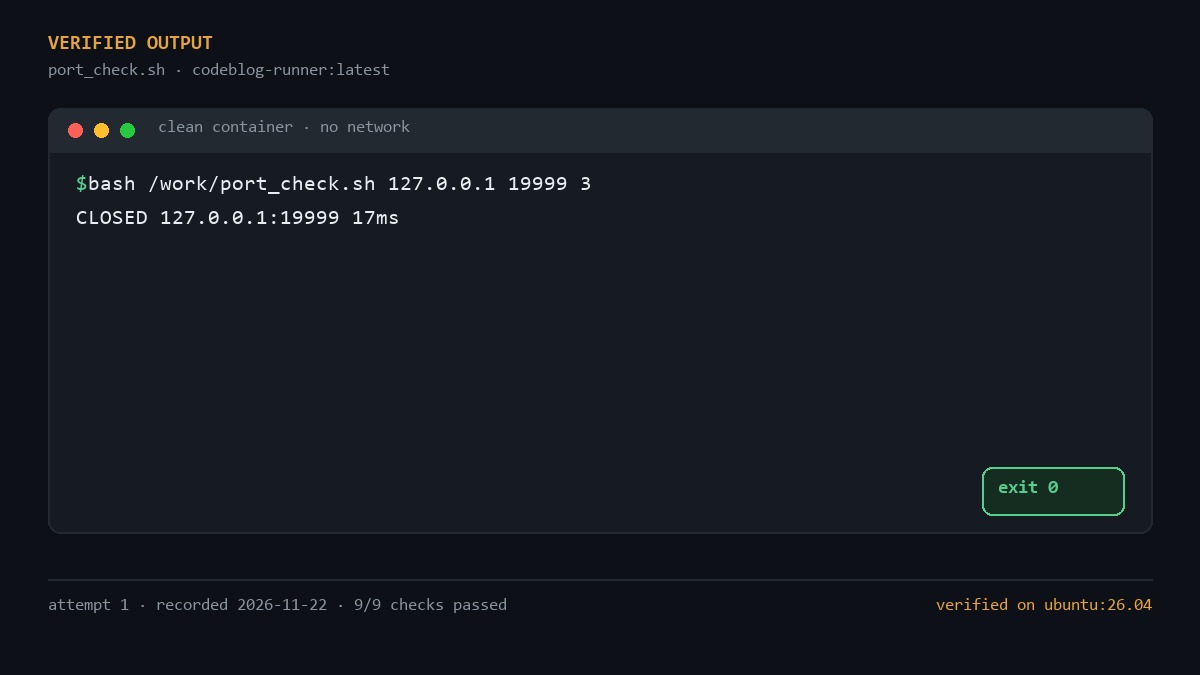
=== RUN: bash /work/port_check.sh 127.0.0.1 19999 3
CLOSED 127.0.0.1:19999 17ms
PASS: closed loopback port → exit 0
PASS: output matches expected CLOSED format
=== RUN: bash /work/port_check.sh nonexistent.invalid 80 2
CLOSED nonexistent.invalid:80 11ms
PASS: unresolvable host → exit 0 (CLOSED)
=== RUN: bash /work/port_check.sh aaaaaaaaaaaaaaaaaaaaaaaaaaaaaa… 443 2
CLOSED aaaaaaaaaaaaaaaaaaaaaaaaaaaaaaaaaaaaaaaaaaaaaaaaaaaaaaaaaaaaaaaaaaaaaaaaaaaaaaaaaaaaaaaaaaaaaaaaaaaaaaaaaaaaaaaaaaaaaaaaaaaaaaaaaaaaaaaaaaaaaaaaaaaaaaaaaaaaaaaaaaaaaaaaaaaaaaaaaaaaaaaaaaaaaaaaaaaaaaaaaaaaaaaaaaaaaaaaaaaaaaaaaaaaaaaaaaaaaaaaaaaaaaaaaaaaaaaa:443 11ms
PASS: 256-char hostname → exit 0 (no crash)
=== RUN: bash /work/port_check.sh localhost 0
PASS: port 0 → non-zero exit

──────────────────────────────
Results: 9 passed, 0 failed
A few cases worth calling out. The closed loopback port returned CLOSED in 17ms—fast because the kernel generates RST locally for a refused connection on the same machine. The unresolvable hostname also returned CLOSED in 11ms, which is essentially just the DNS lookup failing and returning NXDOMAIN. The 256-character hostname didn't crash anything; it simply failed to resolve and reported CLOSED with the full string echoed back in the output. Port 0 and port 65536 were both rejected at the validation stage with non-zero exits, meaning no network call was ever attempted. Missing arguments and an empty host string also exited non-zero before any I/O.
Limitations you should know about
This script checks TCP only. If you need to probe a UDP service, /dev/tcp won't help; you'd need ncat, a small Python one-liner with a raw socket, or a dedicated tool. It also doesn't perform an application-layer handshake. If the remote service accepts the TCP connection and then immediately closes it—some load balancers do this when they have no backend available—you'll still see OPEN. For that level of detail you need to send a protocol-specific request (an HTTP GET, a database query, etc.) and check the response. But for the question "is something accepting TCP connections on this port right now," this is sufficient and it's fast enough to run in a cron job every thirty seconds without worrying about load.
The script
#!/usr/bin/env bash
# port_check.sh — Check if a TCP port is open on a remote host; report connection time in ms.
# Usage: port_check.sh <host> <port> [timeout_seconds]
# Requires only bash + coreutils (date, timeout). No nmap, no nc.
set -euo pipefail

usage() { echo "Usage: $0 <host> <port> [timeout]" >&2; exit 1; }

(( $# >= 2 )) || usage
host=$1
port=$2
tmo=${3:-5}

[[ -n "$host" ]] || { echo "Error: host must not be empty" >&2; exit 1; }
[[ "$port" =~ ^[0-9]+$ ]] || { echo "Error: port '$port' is not a positive integer" >&2; exit 1; }
(( port >= 1 && port <= 65535 )) || { echo "Error: port out of range (1–65535), got $port" >&2; exit 1; }

start=$(date +%s%N)
if timeout "$tmo" bash -c "exec 3<>/dev/tcp/${host}/${port}" 2>/dev/null; then
    status="OPEN"
else
    status="CLOSED"
fi
end=$(date +%s%N)
printf '%s %s:%s %dms\n' "$status" "$host" "$port" $(( (end - start) / 1000000 ))
How to use it
Make it executable and call it with a host, a port, and optionally a timeout in seconds:
chmod +x port_check.sh

# Check if your mail server is accepting SMTP connections (default 5s timeout)
./port_check.sh mail.example.com 25

# Check a local service with a tight 2-second timeout
./port_check.sh 10.0.1.42 8080 2

# Verify DNS + HTTPS on a production box
./port_check.sh api.internal.net 443 3
Expected output is one line per invocation: OPEN host:port Nms or CLOSED host:port Nms. Pipe it into a log file, grep for CLOSED in a monitoring script, or feed it to an alerting pipeline. If you're checking multiple hosts, wrap it in a loop and collect the lines; the format is consistent enough that awk '$1=="CLOSED"' gives you every failed check in one pass.
