average-athlete.com — running a personal cycling data site on self-hosted Django
I run a personal cycling site — race reports, training notes, aero gear takes, plus a set of interactive calculators for riders. It's average-athlete.com and it's all one self-hosted Django project on a small home server. This post is the build log: what it actually takes to run race content and rider tooling yourself — no platform, no per-seat fees, no content lock-in.
Why build instead of rent
The default answer for "I want a blog with a few extra pages" is WordPress or a hosted platform. That's fine — but three things I wanted weren't on the menu:
- A real data model for posts. Every post on the site carries its own SEO fields (meta title, meta description, OG image, JSON-LD). On a platform those are plugin territory, or they don't exist at all.
- Client-side-only tools. The site has a set of calculators — W/kg fitness level, tire pressure, strength benchmarks, a 52-week training planner. They're pure browser JavaScript: nothing a visitor enters ever reaches the server. A platform's page builder is the wrong shape for that.
- One deploy pipeline I control. Content and code ship together, to hardware I own, over my own LAN.
The stack
The whole site is one Django project with four apps:
| App | Job |
|---|---|
pages |
Markdown CMS for static pages (home, about, blog index) — each page is a .md file in the repo |
blog |
Database-backed blog posts (Post model: title, slug, content, SEO fields) |
tools |
One render view + one template per calculator |
average_athlete |
Main views, signup, 404 handling |
Behind that: Postgres on the same box as the app, gunicorn in a Docker container behind nginx, and Cloudflare in front for TLS and edge caching. The server is a small "nuc"-class machine at home — the entire site's power budget is the idle draw of one quiet box.
Hybrid content model: markdown files + database posts
The interesting design decision is how content is stored, because I deliberately use both file-based and DB-based content:
- Static pages are markdown files in the repo (
pages/templates/pages/*.md). They're version-controlled, diffable, and editable in any text editor. The blog index page is one of them — its "Latest Posts" block sits betweenLATEST_POSTS_START/LATEST_POSTS_ENDmarkers that a small script rewrites whenever new posts land. - Blog posts are database rows. A race report gets written, imported, and lives in Postgres with its SEO sidecar fields attached — which is what lets the sitemap, the meta tags and the JSON-LD all stay in sync without any CMS UI.
The bridge between the two is a management command:
manage.py import_marketing_blog post.md --title "..." --slug "..." --seo seo.json
You draft a post as a plain markdown file — where it's easy to write, review and version — then import it into the database with its SEO metadata in one step. The command refuses to overwrite an existing slug, so re-running it is safe. That gives you a content pipeline that is just write markdown → import → deploy: no CMS UI, no editor accounts, no plugin updates.
Tools as Django apps
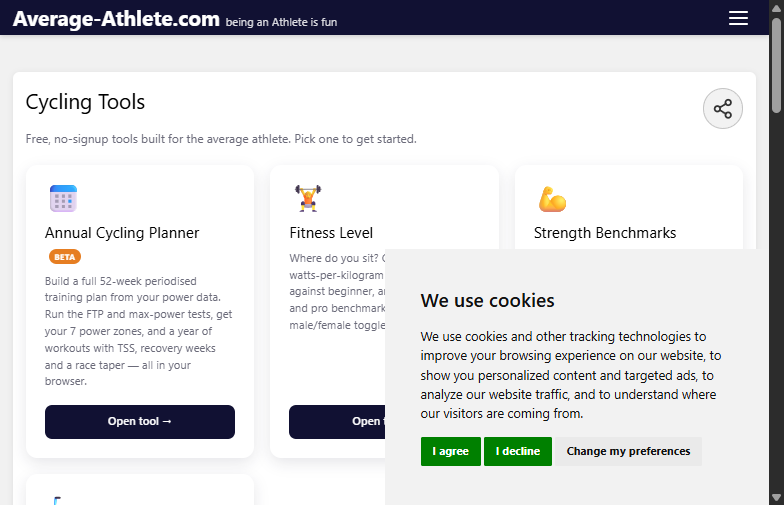
Each calculator is a tiny Django app: one render view, one URL, one standalone template with the JavaScript inline. The maths all runs in the visitor's browser:
- Cycling fitness level — W/kg and absolute-power charts against benchmarks, with a male/female toggle.
- Tire pressure — front/rear PSI estimate from system weight, tire width and surface.
- Strength benchmark — target 5-rep weights for cyclists, beginner to pro.
- Cycling planner (beta) — a goal-oriented 52-week periodised plan: power test, zones, workouts per discipline. The visitor's data persists in IndexedDB, so the server never sees it.
Because nothing is stored server-side, the tools need no database tables, no rate limiting, and no privacy clause beyond "we can't see your data — it never arrives". That's what makes a home server viable at all: the application is essentially serving templates and static files.
The deploy pipeline
Deployment is one script (push_to_server_and_run.py) that does three things in order:
collectstaticin the local venv,- an SFTP mirror of the working tree to the server (paramiko, skipping
.gitand venvs), docker build+docker compose up -don the remote box.
No CI, no image registry, no staging environment — at this scale a two-minute script beats a pipeline. The honest caveat: it ships the working tree, not git HEAD, so git status before you push is part of the job.
The unglamorous 20%
The parts that aren't in any tutorial:
- Bot protection. Contact and newsletter forms use Cloudflare Turnstile — two separate key pairs (contact vs newsletter) so a widget change on one can't break the other, verified server-side fail-closed.
- A sitemap with teeth. The site emits
/sitemap.xmlvia Django's sitemaps framework, and a test pins the URL count to the markdown files actually on disk — so if content drifts out of sync with the sitemap, the test suite goes red instead of Google quietly losing pages. - Related-links block rendered server-side on every page, with click tracking into GA4 (the only analytics the site runs).
What it's given me
Zero platform fees, full ownership of the content, and a stack where adding a new tool is an afternoon's work. The trade-off is that I am the hosting provider — when the home server reboots, the site is down for however long the box takes to come back. For a personal project that's a price I'm happy to pay.
If you want to see the end result — race reports, training notes, gear takes and the calculators above — it's all at average-athlete.com.
Suggested
